 SummitGPX Help Centre
Billing and VAT
SummitGPX paid subscriptions are managed through Stripe. Billing settings sit alongside account usage and plan limits in Account Management.
Viewing Billing Information
To view your billing information:
- Open Account Management.
- Navigate to Subscription & Billing.
- Review your current plan, billing cycle and payment details.
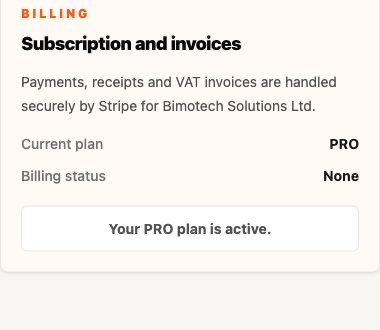
From this area you can manage your subscription and access billing related information.
Subscription Billing
Paid SummitGPX plans are billed automatically through Stripe.
Depending on your chosen subscription, billing may be:
- Monthly
- Annually
Your billing cycle is displayed within your account.
Payment Methods
Stripe supports a range of payment methods depending on your location.
To update your payment details:
- Open Subscription & Billing.
- Select Manage Billing.
- Update your payment information within Stripe.
Changes take effect immediately for future payments.
Invoices
Invoices are generated automatically for all successful payments.
Invoices can be used for:
- Financial records
- Expense claims
- Business accounting
- VAT reporting
You can access previous invoices from the billing section of your account.
VAT
Where applicable, VAT will be calculated automatically during checkout.
The amount of VAT charged depends on:
- Your location
- Your billing address
- Applicable tax regulations
Any VAT charged will be clearly displayed during checkout and included on your invoice.
Updating Billing Details
If your organisation details change, you can update your billing information through the Stripe billing portal.
This may include:
- Billing name
- Billing address
- VAT information
- Payment methods
Keeping billing information up to date helps ensure invoices remain accurate.
Upgrading Your Plan
You can upgrade your subscription at any time.
When upgrading:
- Access to additional features is provided immediately
- Billing is adjusted automatically through Stripe
- Existing routes and events remain unchanged
See Plans and Limits for the current Free, Starter and Pro feature differences.
Downgrading Your Plan
If your requirements change, you can switch to a lower plan.
Before downgrading, review your account usage to ensure it falls within the limits of the new plan.
If your account exceeds the limits of the selected plan, some actions may be restricted until usage is reduced or the account is upgraded again. Pro-only features such as embeds, checkpoints, playback, analytics, white label branding and team members may stop being available on lower plans.
Cancelling Your Subscription
Subscriptions can be cancelled through the billing section of your account.
When a subscription is cancelled:
- Future payments are stopped
- Access continues until the end of the current billing period
- Existing account data is retained
After the subscription expires, account access and available features may change depending on your plan.
Frequently Asked Questions
How are payments processed?
All payments are processed securely through Stripe.
Can I change my payment method?
Yes. Payment methods can be updated through the Stripe billing portal.
Where can I find my invoices?
Invoices are available from the billing section of your account.
Is VAT included in the subscription price?
Where applicable, VAT is calculated and displayed during checkout.
Will I lose my routes if I cancel my subscription?
Your account data is retained, although access to features and limits may change depending on your subscription status.