 SummitGPX Help Centre
Importing Route Files
Importing a route file creates a SummitGPX route inside an event. SummitGPX accepts GPX, KML and FIT files, reads the course line, checks the route data, calculates route statistics and creates the hosted route page used by runners.
If you want to validate a file before adding it to your account, use the GPX Health Check workflow. The customer-facing tool itself is the Free GPX Health Check.
For more detail on what happens behind the scenes, see How SummitGPX Processes GPX Files. For a complete race setup checklist, see the Typical Organiser Workflow.
Supported Route Formats
- GPX: track points or route points are supported. Track data is preferred when both are present. Suitable named GPX waypoints can be imported as checkpoints on Pro accounts.
- KML: route lines stored as LineString geometry or
gx:Trackare supported, including files with several route lines. Polygon-only, point-only and files without a usable route line cannot be imported. - FIT: course and activity files must contain usable GPS position records. Damaged or incomplete files, files without coordinates and unsupported FIT encodings cannot be imported. Activity sensor data is not used to build the route.
KML and FIT files are converted automatically into SummitGPX’s standard GPX route data before normal processing. After import, the route can be viewed, edited, reversed, updated, shared and downloaded in the same way as a route imported from GPX.
Before You Import
Each route belongs to an event, so create or open the correct event first. From the Event Library, select the event you want to add a route to.
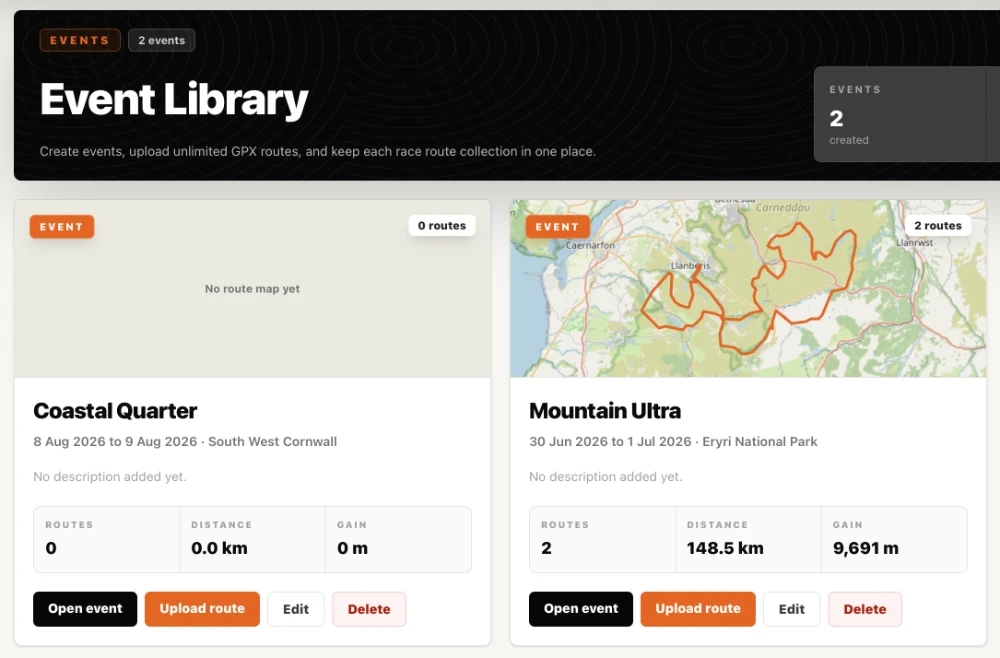
Free accounts can upload a limited number of routes and new routes are public. Starter, Pro and Enterprise accounts can also make routes private.
Before importing an official race GPX, run a Health Check if the file has been exported from another planner, edited manually, merged from multiple sections or previously caused device import problems. The GPX Health Check accepts GPX files; KML and FIT files are checked as part of the route import itself.
Import a Route File
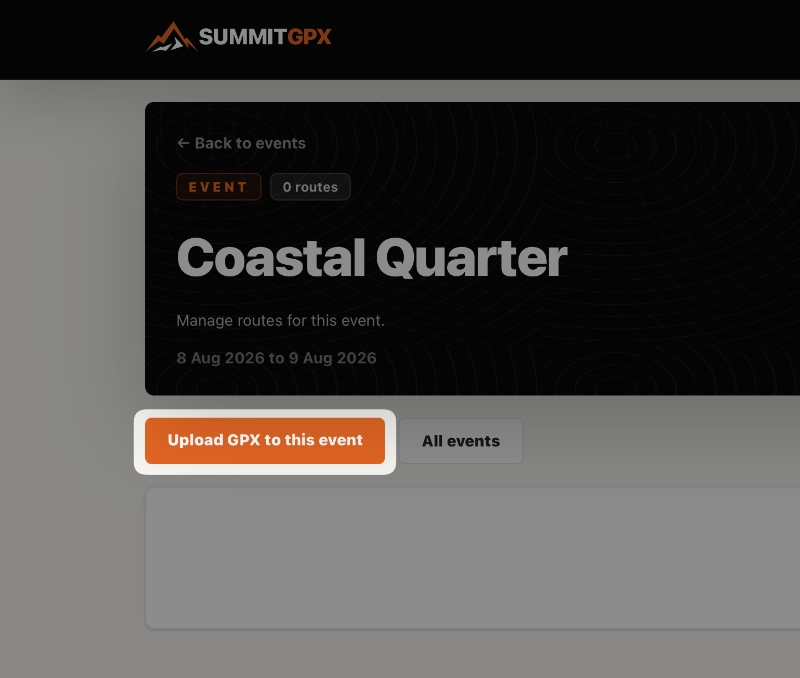
- Open the event that the route belongs to.
- Use the existing Upload GPX to this event action. This application label is retained even though the import page accepts all three formats.
- On Upload route file, optionally enter a Route title. If left blank, SummitGPX uses an embedded route or course name where available, then falls back to the filename.
- Choose or drop a file ending in .gpx, .kml or .fit.
- Select Import route.
Upload Checks and Processing
Before the route is imported, SummitGPX checks that the file is usable and that your account can add another route. It then reads the route line, checks elevation data and prepares any terrain data needed for the route.
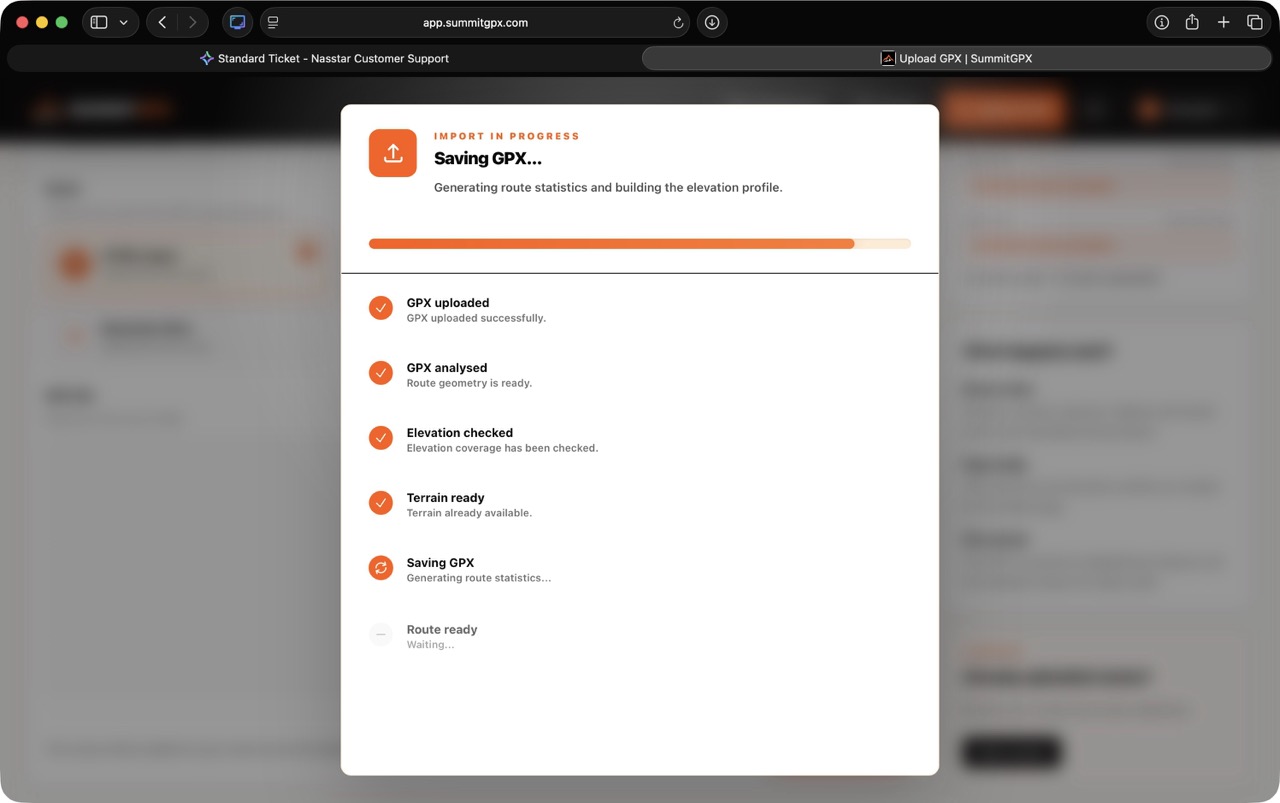
During processing, SummitGPX may:
- Extract route coordinates from the supported geometry or position records in the source file.
- Validate that the file contains at least two usable route points.
- Calculate distance, ascent, descent, highest point and lowest point.
- Use the imported elevation if it is complete and useful.
- Generate elevation from SummitGPX Core terrain data if the route has missing, flat or unreliable elevation.
- Import suitable GPX waypoints as checkpoints on Pro accounts.
- Create the hosted route page.
Most uploads finish quickly. If SummitGPX needs to prepare terrain data for a new area, the import may continue in the background. You can keep using SummitGPX and the route will be available when processing is complete.
The upload preflight is not the same as the full GPX Health Check report. It uses similar GPX quality and elevation rules to decide whether the route can import immediately, but it does not display the full Health Score or repair panel.
Use the GPX Health Check guide when you need the full score, grade, repair availability and Garmin, Coros or Suunto compatibility review.
Review the Route
After processing, open the route and check:
- The route map follows the expected course.
- Distance, ascent and descent look sensible.
- The elevation profile matches the terrain.
- The route name and event are correct.
- Imported checkpoints are useful and correctly positioned.
- The route visibility is right for your account and event.
If you need to adjust the route, use the route editor, reverse the route or replace it with a revised GPX file. The current replacement form remains GPX-only. See Updating Routes and the Typical Organiser Workflow.
Waypoints and Checkpoints
If your GPX file includes named waypoints, SummitGPX can turn suitable waypoints into checkpoints. Generic navigation points such as unnamed turns or numbered waypoints are ignored so the route page is not filled with clutter.
Waypoint import is intended for meaningful locations such as aid stations, water points, summits, cut off points and crew locations. See Checkpoints and GPX Waypoints Explained.
Common Upload Issues
File Will Not Import
Check that the file ends in .gpx, .kml or .fit, is within the displayed upload size limit, is not corrupted and contains a usable route line or GPS positions.
Route Already Uploaded
SummitGPX checks for duplicate route data on the same account. If the same route has already been imported, use the existing route or import a revised file.
Route Appears Incomplete
Open the source file in your route planning software and confirm that the entire course was exported. Some platforms export only a selected segment if the wrong option is chosen.
Elevation Values Look Incorrect
If the original GPX elevation is missing or unreliable, SummitGPX can generate elevation from terrain data. The route page shows whether elevation came from the original GPX or was generated by SummitGPX.
Watch or App Compatibility Problems
If a GPX file imports into SummitGPX but fails on a watch or app, follow the GPX Health Check workflow and see Why GPX Files Fail on Watches.