 SummitGPX Help Centre
Route Versions
Route versions are Pro features that keep a record of route changes over time. They are useful when a course is refined during planning, altered after a course inspection or changed close to race day.
For a complete update workflow, see the Typical Organiser Workflow. After restoring or replacing a route version, use the GPX Health Check workflow if you need to verify the latest downloadable GPX before runners use it.
What Creates a Version?
A new route version is created when you:
- Replace the full GPX file on an existing route.
- Save a map edit from the route editor.
- Restore an older route version.
Before a replacement or restore is applied, SummitGPX saves the current route into version history.
What Is Saved?
Version history records the route line, GPX file, route statistics, elevation data and update notes for earlier versions. The latest version is the one shown to runners on public route pages, embeds and downloads.
Checkpoints are managed on the current route. After replacing, editing or restoring a route, review checkpoint positions and details before publishing the update.
Viewing Route History
Open the route management page and expand Version History. The history shows version numbers, dates, original filenames and update notes.
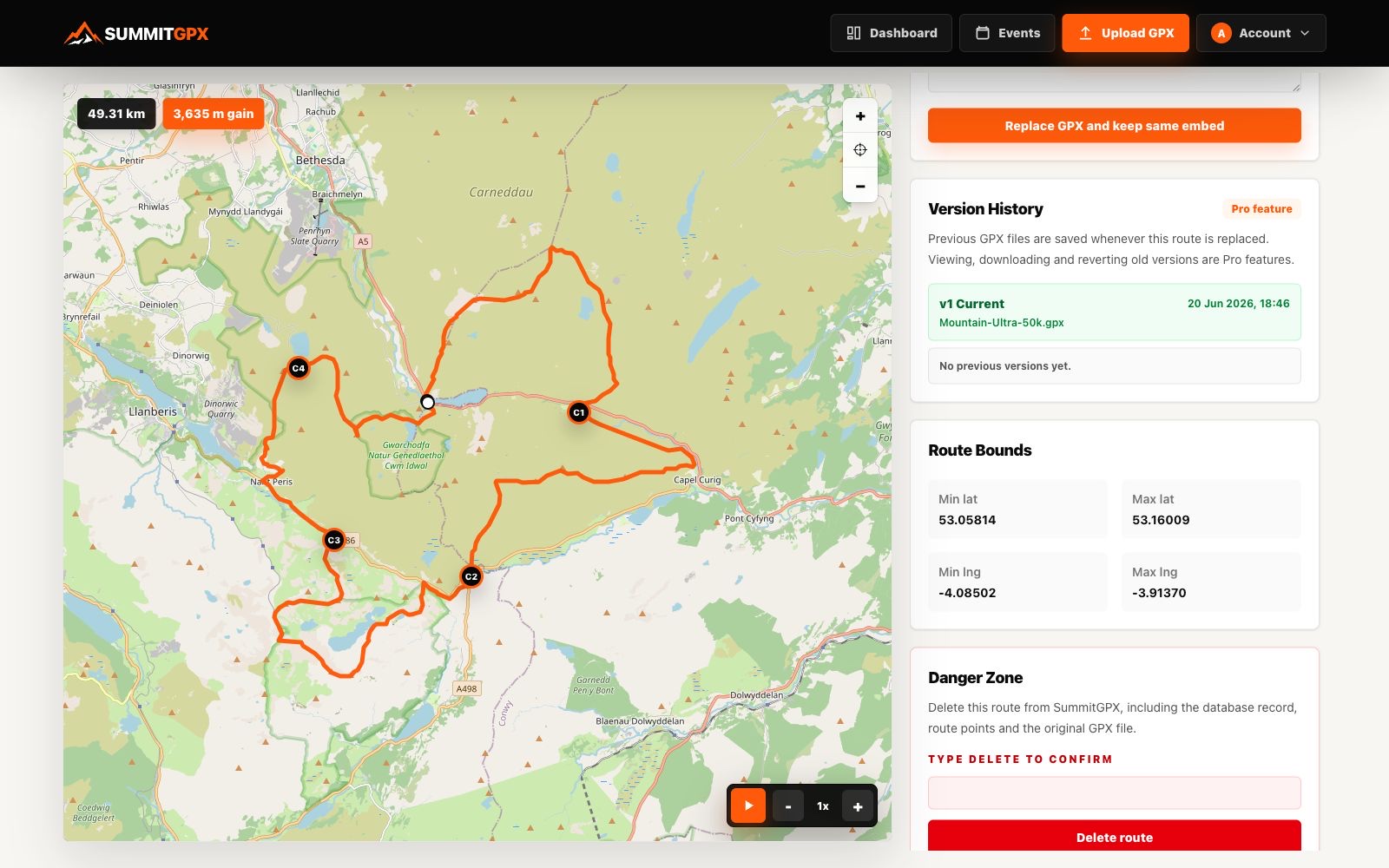
When SummitGPX has geometry for consecutive versions, a locate-change control appears. Select it to zoom the management map to the part of the route that changed between those versions.
Restoring Versions
Pro users can restore an older version when a recent change needs to be rolled back. Type RESTORE beside the version and confirm the action.
Restoring a version creates a new current version rather than deleting history. This keeps the audit trail intact and makes the restored route visible through the same public route link, QR code and embed code.
Showing Version Information to Runners
Pro accounts can choose whether public route pages, embeds and download filenames show route version information. This is helpful when runners need to confirm they are using the latest GPX before race day.
Split Markers and Checkpoints
GPX split markers are tied to the route version they were added to. If you replace, edit or restore a route, review split markers before offering section GPX downloads.
Checkpoint details remain available on the current route, but their placement should always be checked against the updated route line.
Best Practice
- Add update notes that explain the change in plain language.
- Use the locate-change control to review changed geometry before restoring where it is available.
- Review map, elevation, checkpoints, split markers and downloads after every version change.
- Enable public version information when runners need to identify the latest GPX file.
- Use clear update notes for diversions so runners know why the route changed.