 SummitGPX Help Centre
Route features
QR codes
Share a stable route link on race signs and printed information.
A route QR code opens the hosted route page. Runners can inspect the map and download the latest available files. Scanning a code does not directly transfer the course to a watch.
Download and test
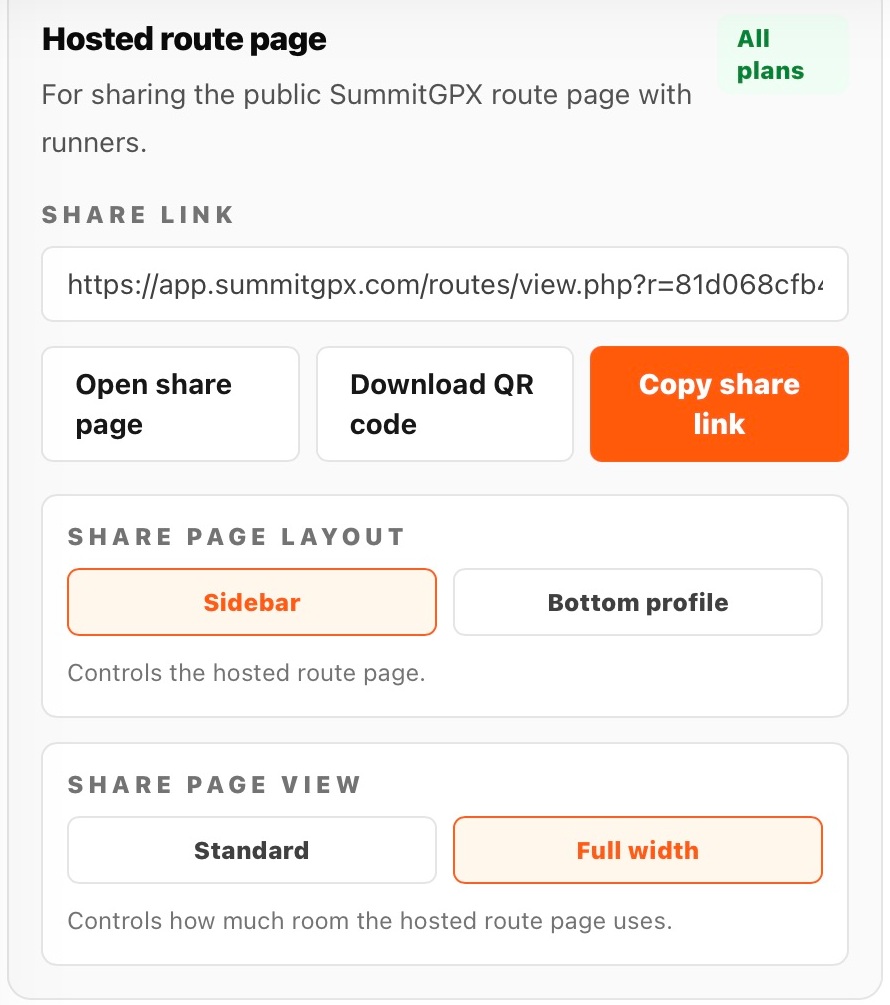
- Open the organiser route, expand Share and embed and find Hosted route page.
- Choose Download QR Code and save the image.
- Check that its event and route information match the race distance you intend to share.
- Place it in your signage or race pack without stretching it.
- Scan a test print with a phone and confirm the public page and downloads work while signed out.
After a course change
The code keeps working when you update the same route. You do not need to reprint it for a GPX replacement. Creating a different route creates a different link; deleting the original route breaks its code. Private or plan-unavailable routes will not show the course to runners.
Make it easy to use
Keep clear space around the code, print at a readable size and include a written route-page link nearby. Test it at the actual viewing distance. Ask runners to download and sync the latest route before travelling to an area with poor signal.