 SummitGPX Help Centre
Getting started
Creating your account
Activate your account, understand the Pro preview and sign in.
Create and activate your account
- Open the pricing page and choose Free, Starter or Pro.
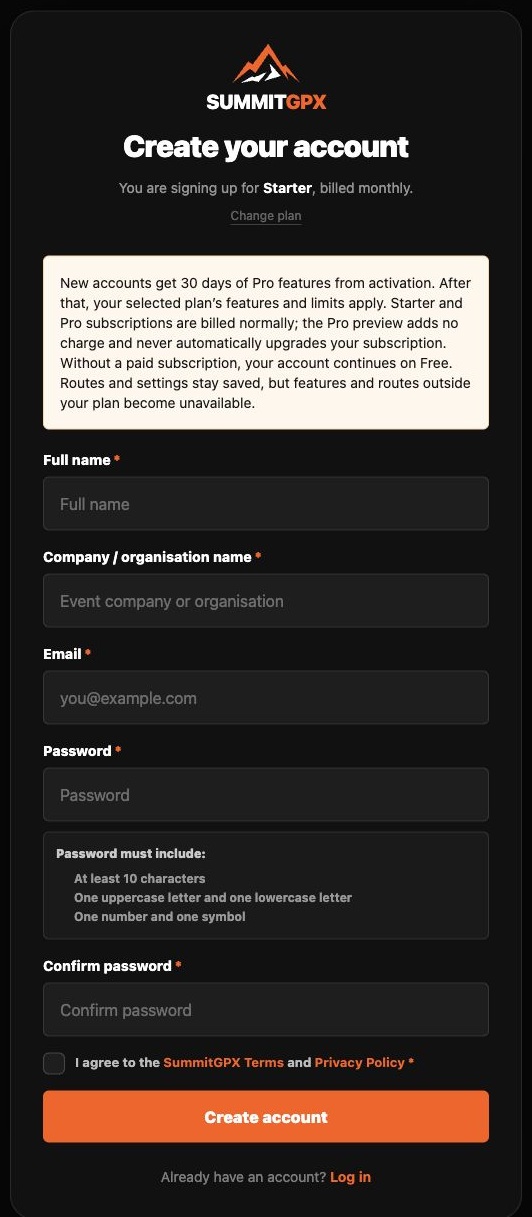
- Complete registration with your name, organisation, email and password. Review the terms shown on the form.
- Open the activation email and follow its link. Check spam or junk if it has not arrived.
- Free accounts continue to the dashboard. If you selected Starter or Pro, continue to Stripe Checkout and complete the paid subscription. If automatic sign-in fails, use the login link shown.
Your first 30 days
The Pro preview begins when you activate the account. It temporarily provides Pro features; it is not a free billing period for a paid subscription. Starter and Pro subscriptions are billed normally. The preview adds no charge and does not automatically upgrade your subscription.
Without a paid subscription, the account continues on Free. Before the preview ends, review which routes will remain available. Private routes stay private and saved data is retained; features and routes outside the continuing plan become unavailable.
Signing in again
The login page offers Sign in with a passkey and Sign in with password instead. Use an existing passkey if you have set one up, or expand password sign-in. Use password recovery if needed. Passkeys can be managed in account settings.